Crossref members register around 37,000 records daily. All this metadata is openly shared with the global scholarly community through our free APIs. We receive over two billion calls to our API each month, signalling its use by hundreds of tools and services worldwide, supporting the discovery and assessment of scholarly metadata. As part of a new series in our blog, we will spotlight the diversity of tools and integrations that rely on Crossref metadata to serve the scholarly community. In this initial post, we chat to Luca Foppiano, the developer and maintainer of Grobid1, to learn about how Grobid uses Crossref metadata to improve the extraction and enrichment of bibliographic information from scholarly PDFs.
On behalf of the Nominating Committee, I’m pleased to share the slate of candidates for the 2026 board election. Every active member organisation is invited to submit a ballot to elect the incoming board class.
We’re providing a summary of the board’s July 2026 meeting. The July board meeting is our only in-person meeting. The board gathers for two days of strategic thinking and long-range planning, as well as conducting annual board business. This year, we focused on allocating surplus funds we have on hand to invest in a three-year project to redesign the content system. In a related discussion, we decided to lower content registration fees starting in 2027 because we’ve had a demonstrated history of generating surpluses, exceeding what we need to run Crossref. We also discussed the board structure, as part of our regular review of stakeholder governance. And we conducted annual board business, such as approving the audited financial statements and reviewed our risk register and mitigation plans.
The resolutions are available on the dedicated section of our website, which also lists the members of the Board and offers further information about our governance.
We also managed to squeeze in watching a World Cup game over dinner.
Starting today, funder names deposited in Crossref metadata without an identifier will be matched to ROR IDs, to support an open and connected Research Nexus. Funding information is an increasingly important part of the scholarly record. The improved matching strategy supports researchers, funders, institutions, and meta-researchers, who rely on that information to understand how research is supported and what outcomes that support produces.
Setting up your iThenticate 2.0 account for use directly in the browser (admins only)
Documentation Menu
Setting up your iThenticate 2.0 account for use directly in the browser (admins only)
This section is for Similarity Check account administrators only. It explains how administrators need to set up the iThenticate 2.0 account for their organisations if they are planning to use iThenticate in the browser. You need to follow the steps in this section before you start to set up your users and share the account with your colleagues.
If you are using iThenticate v1 rather than iThenticate 2.0, take a look at the section for v1 account administrators.
If you intend to access iThenticate 2.0 through an integration with your Manuscript Submission System (MTS) instead, go to setting up your MTS integration.
Your personal administrator account in iThenticate 2.0
Once Turnitin has enabled iThenticate 2.0 for your organisation, the main editorial contact provided on your application form will become the iThenticate account administrator.
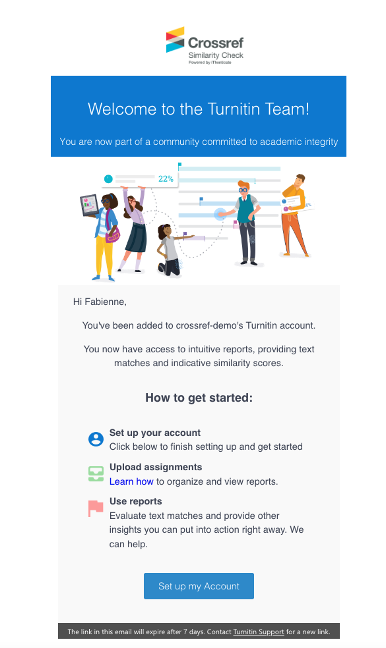
You will receive an email from Turnitin with a link to set your credentials. The email will look like this:
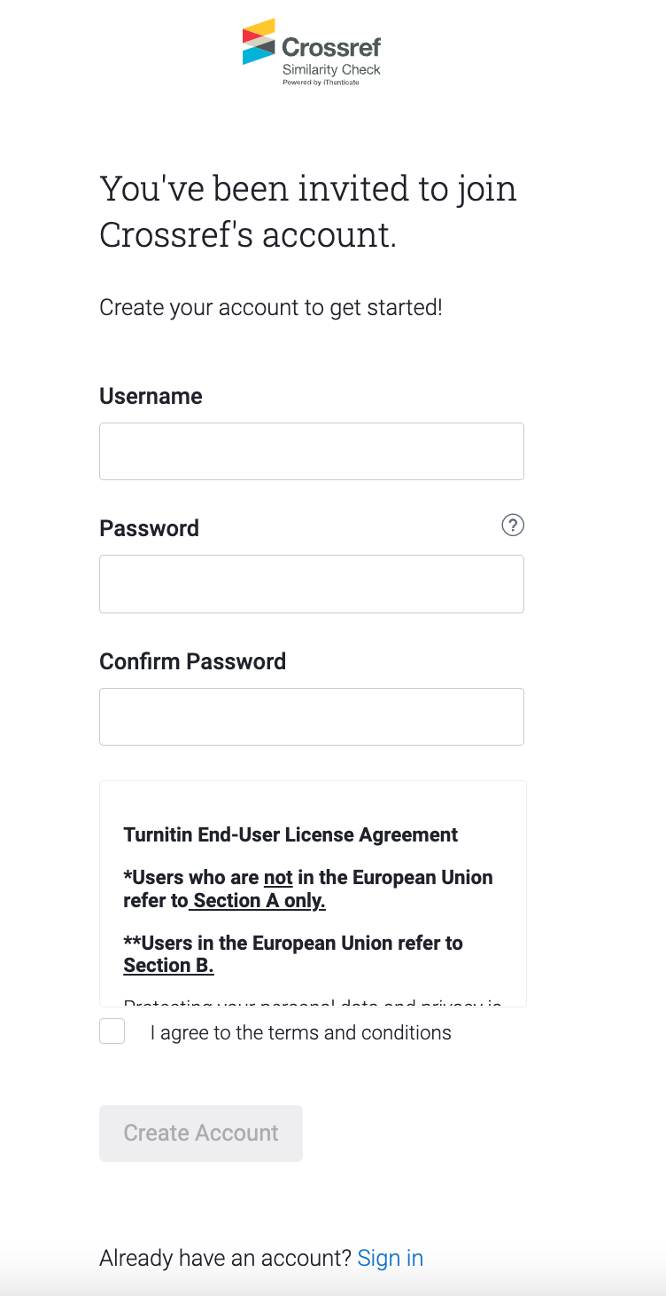
Click on the blue ‘Set up my account’ button at the bottom of the email. This will bring you to a page which looks something like this:
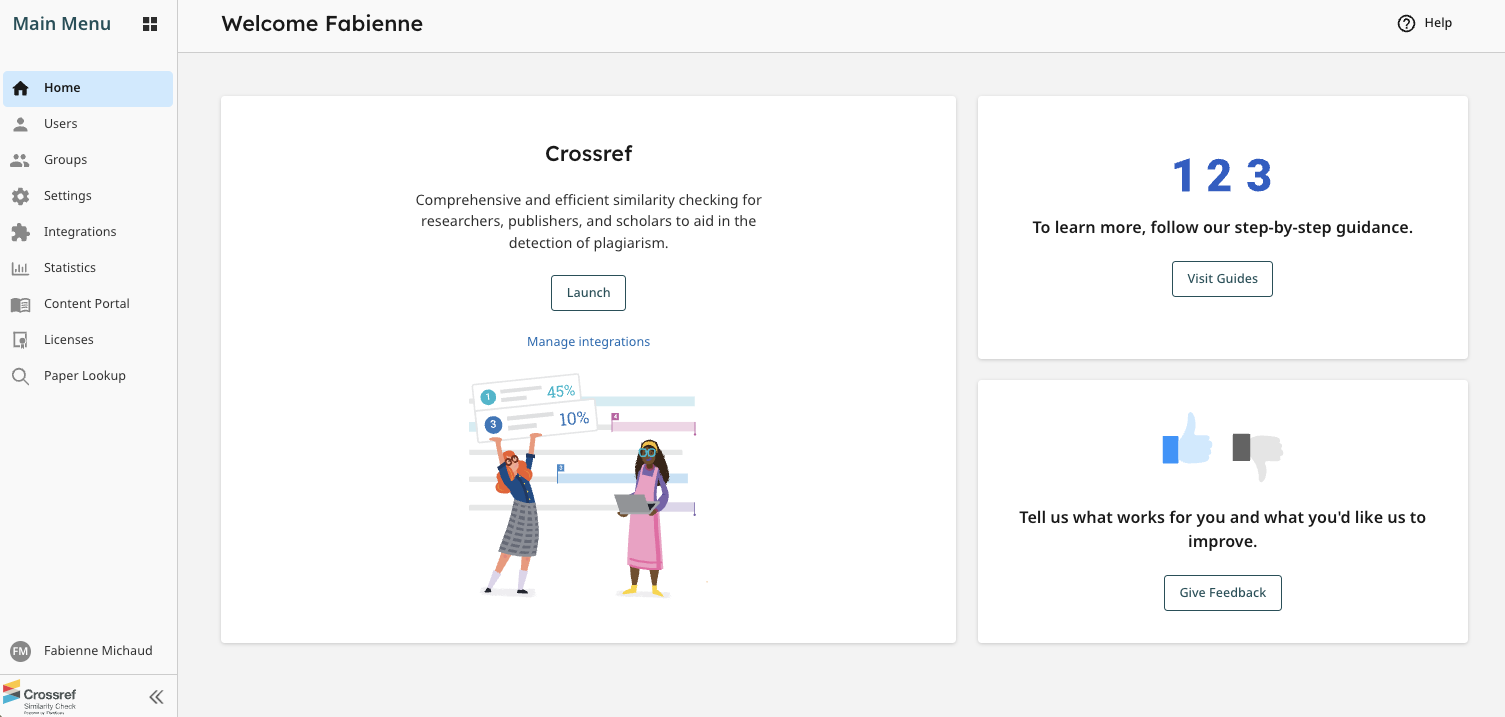
Fill out your username and password, and don’t forget to tick to agree to the terms and conditions. You will then arrive at your new iThenticate 2.0 account.
How do you know if you’re an account administrator?
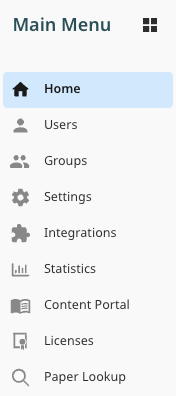
When you are logged in to iThenticate, what tabs can you see?
If you’re using iThenticate 2.0, you will only be able to see Users on the menu if you’re an account administrator.
So if you can’t see Manage Users or Users, you’re not an account administrator, and you can just read the user instructions for iThenticate 2.0 on the Turnitin website.
Updating your email address, username or password in the future
If you need to change your personal email address, username or password in the future, you can find instructions on the Turnitin website.
If you forgot your password and have never signed into your new 2.0 account, you’ll need to reach out directly to Turnitin’s support to have your password resent to you from Turnitin.
If you’ve already signed into your 2.0 account, but can’t remember your password, you can simply use the Forgot Password link on the login screen of your unique 2.0 website (https://crossref-xxx.turnitin.com, with xxx being your member ID).
Page maintainer: Amanda Bartell Last updated: 2022-July-15