On behalf of the Nominating Committee, I’m pleased to share the slate of candidates for the 2026 board election. Every active member organisation is invited to submit a ballot to elect the incoming board class.
We’re providing a summary of the board’s July 2026 meeting. The July board meeting is our only in-person meeting. The board gathers for two days of strategic thinking and long-range planning, as well as conducting annual board business. This year, we focused on allocating surplus funds we have on hand to invest in a three-year project to redesign the content system. In a related discussion, we decided to lower content registration fees starting in 2027 because we’ve had a demonstrated history of generating surpluses, exceeding what we need to run Crossref. We also discussed the board structure, as part of our regular review of stakeholder governance. And we conducted annual board business, such as approving the audited financial statements and reviewed our risk register and mitigation plans.
The resolutions are available on the dedicated section of our website, which also lists the members of the Board and offers further information about our governance.
We also managed to squeeze in watching a World Cup game over dinner.
Starting today, funder names deposited in Crossref metadata without an identifier will be matched to ROR IDs, to support an open and connected Research Nexus. Funding information is an increasingly important part of the scholarly record. The improved matching strategy supports researchers, funders, institutions, and meta-researchers, who rely on that information to understand how research is supported and what outcomes that support produces.
Strengthening Scholarly Publishing in Africa is a collaborative webinar series bringing together ASSAf, Crossref, DOAJ, EIFL, and PKP to share practical guidance, resources, and approaches for strengthening the publishing ecosystem in the region. This series responds to the growing interest in open access, digital publishing, stronger editorial practices, and greater visibility of research publishing across Africa. Each partner organisation has long experience of building that capacity in the area of their expertise. In this series, we’re coming together to offer a more holistic learning experience to the community of African publishers, putting different aspects of the publishing process in their broader context.
The DOI error report is sent immediately when a user informs us that they’ve seen a DOI somewhere which doesn’t resolve to a website.
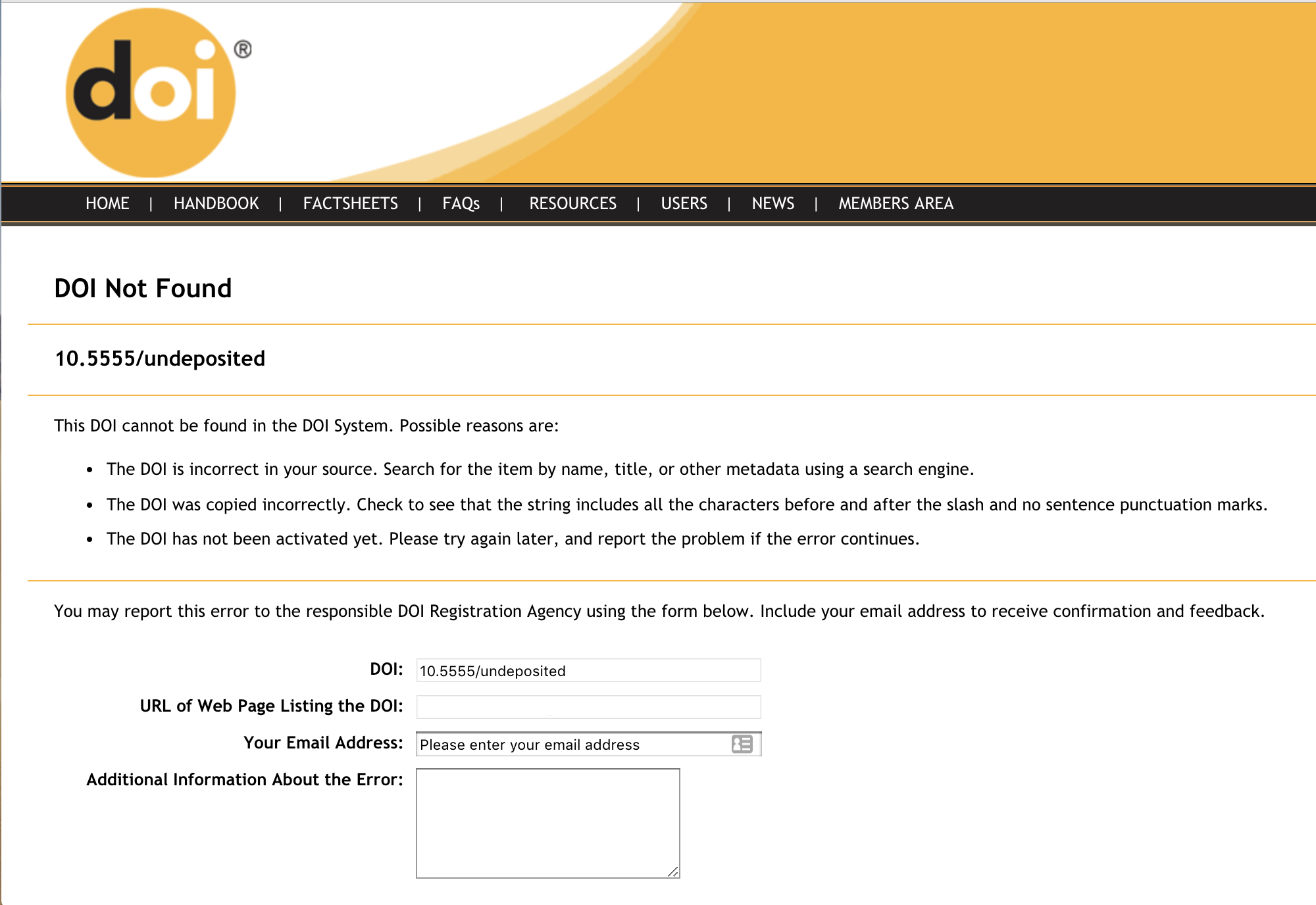
The DOI error report is used for making sure your DOI links go where they’re supposed to. When a user clicks on a DOI that has not been registered, they are sent to a form that collects the DOI, the user’s email address, and any comments the user wants to share. We compile the DOI error report daily using those reports and comments, and send it via email to the technical contact at the member responsible for the DOI prefix as a .csv attachment.
If you would like the DOI error report to be sent to a different person, please contact us.
The DOI error report .csv file contains (where provided by the user):
DOI - the DOI being reported
URL - the referring URL
REPORTED-DATE - date the DOI was initially reported
USER-EMAIL - email of the user reporting the error
COMMENTS
We find that approximately 2/3 of reported errors are ‘real’ problems. Common reasons why you might get this report include:
you’ve published/distributed a DOI but haven’t registered it
the DOI you published doesn’t match the registered DOI
a link was formatted incorrectly (a . at the end of a DOI, for example)
a user has made a mistake (confusing 1 for l or 0 for O, or cut-and-paste errors)
What should I do with my DOI error report?
Review the .csv file attached to your emailed report, and make sure that no legitimate DOIs are listed. Any legitimate DOIs found in this report should be registered immediately. When a DOI reported via the form is registered, we’ll send out an alert to the reporting user (if they’ve shared their email address with us).
I keep getting DOI error reports for DOIs that I have not published, what do I do about this?
It’s possible that someone is trying to link to your content with the wrong DOI. If you do a web search for the reported DOI you may find the source of your problem - we often find incorrect linking from user-provided content like Wikipedia, or from DOIs inadvertently distributed by members to PubMed. If it’s still a mystery, please contact us.
Page maintainer: Isaac Farley Last updated: 2024-July-19